Tools and builders
Best AI agent builders for small offices: n8n, Zapier, Copilot Studio and code, compared
Four ways to build an AI agent, what each is best for, how it charges and who has to keep it running.
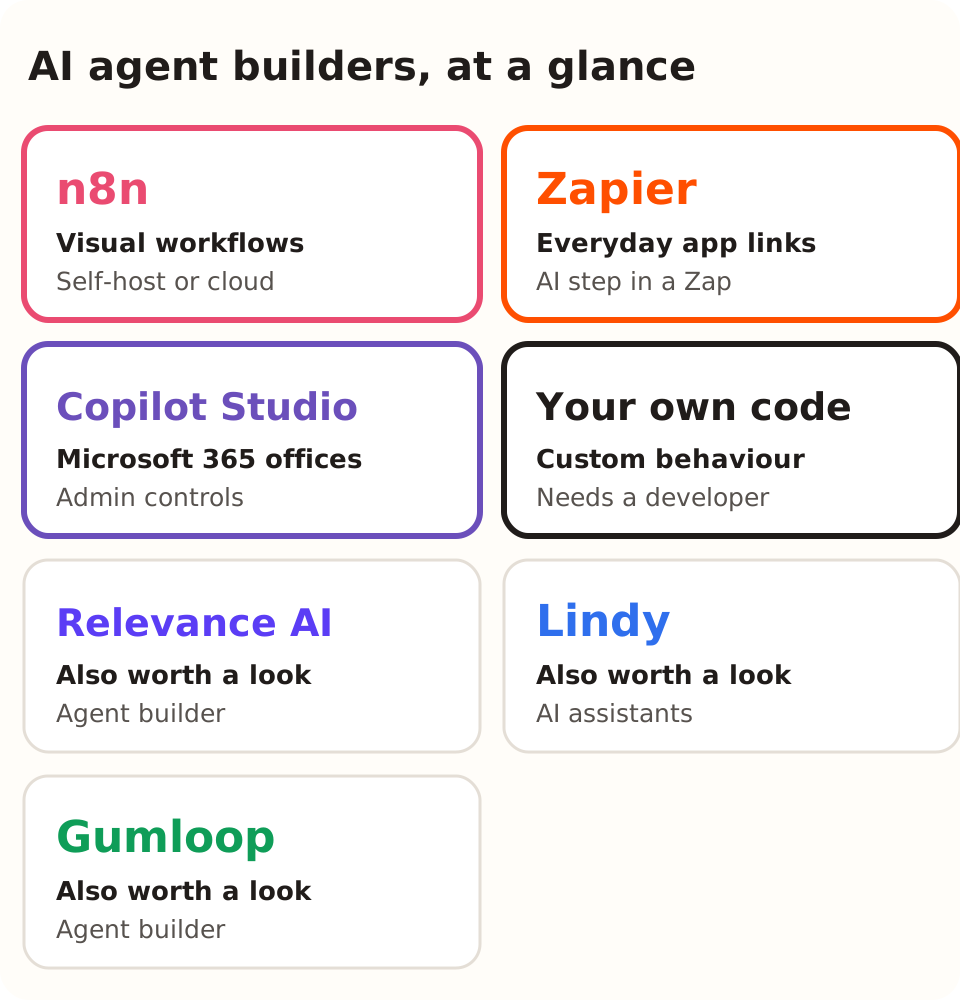
An AI agent builder joins a model, instructions, information and tools into one working app. Here are the 4 main options for a small office, then how to test them on your own task.
| Builder | Best for | How it charges | Approval step | Who keeps it running |
|---|---|---|---|---|
| n8n | Control and self-hosting | Per plan, by workflow runs | Human review before chosen tool calls | Someone technical |
| Zapier | Everyday app links | Per plan, by tasks; free plan 100 tasks a month | Check in your account | Any confident staff member |
| Copilot Studio | Microsoft 365 offices | Per licence or usage | Set by your admin | Your Microsoft admin |
| Coded app | Custom behaviour | Hosting and model use | You build it | A developer |
What kind of builder do you need?
There are 3 main kinds: a visual workflow tool, a platform tied to your business software and a coded app. All 3 can run agents. They split the setup and upkeep work in different ways.
Choose for the real owner. A powerful framework is a poor fit when nobody can maintain it. A simple visual flow also gets hard to support when it depends on settings no one wrote down.
What should the maintainer write down?
Ask for a 1-page note before the trial ends. It should name what starts the task, every account the builder uses, each tool and what it may do, where errors go and how to switch the whole thing off.
Add the date each connection was set up and when its access expires. Some connections use access that expires after a set period, so note each expiry date: expired access can stop a working flow without any warning to staff.
Test the note: give it to a second person and ask them to pause the workflow and find the last failed run. If they cannot do both in 10 minutes, the note needs more detail.
How do you set up a fair comparison?
Write a 5-line spec before any demo: the input, the approved source, the output, the reviewer and when it must stop. For example, use a fictional enquiry that needs one approved info sheet and ends in one saved draft.
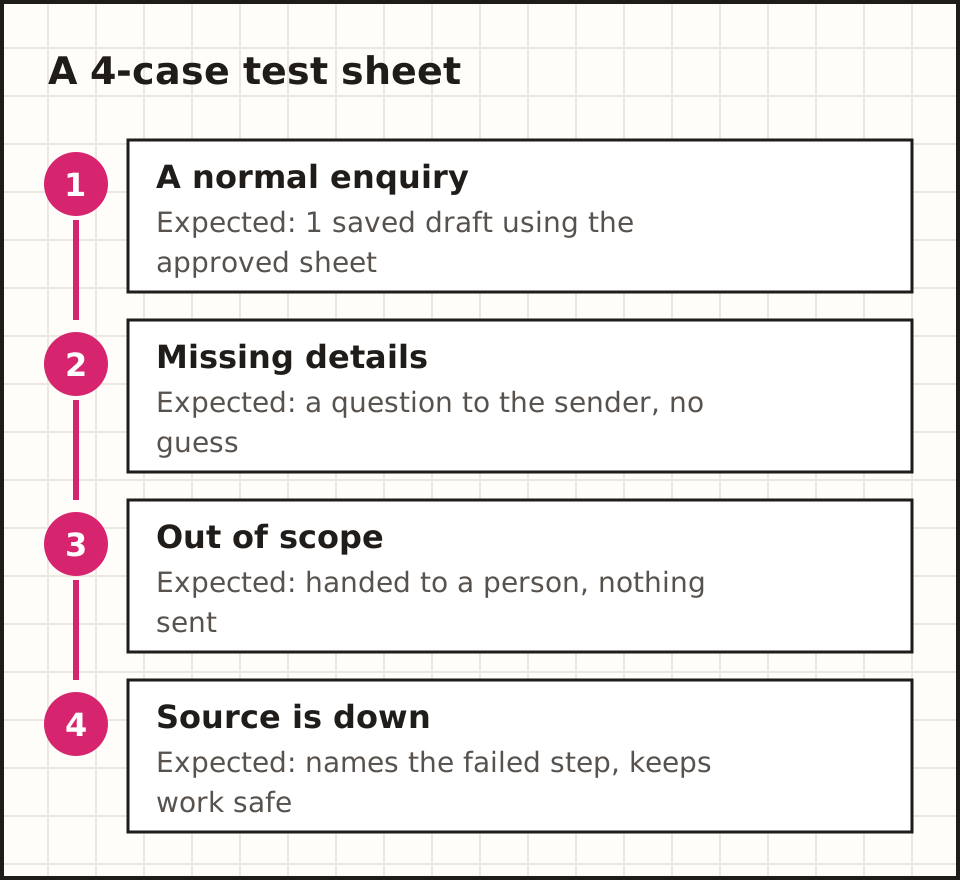
Write the right answer for each of 4 test cases first. Use the same 4 cases for every candidate, so you measure your task, not the supplier's favourite demo. Then record every fix the reviewer had to make.
How do you run a fair demo?
Send each supplier the same task spec and 4 test cases 2 days before the demo. Ask them to run all 4 live, on screen, in a test account. A recorded video only shows the run they chose to keep.
Score each run the same way: did it reach the right output, did it stop when it should, and how many fixes did the reviewer need? Write the score down during the demo, not after.
Ask for one failed run on purpose. Remove a source or give it a request outside the task. How the tool fails tells you more about running it every week than a clean success does.
How do the main products compare?
Each product below is described from its own documentation as at October 2026. Check the feature in your own account before you rely on it. We have not tested each one on the same task: treat this as a shortlist to test.
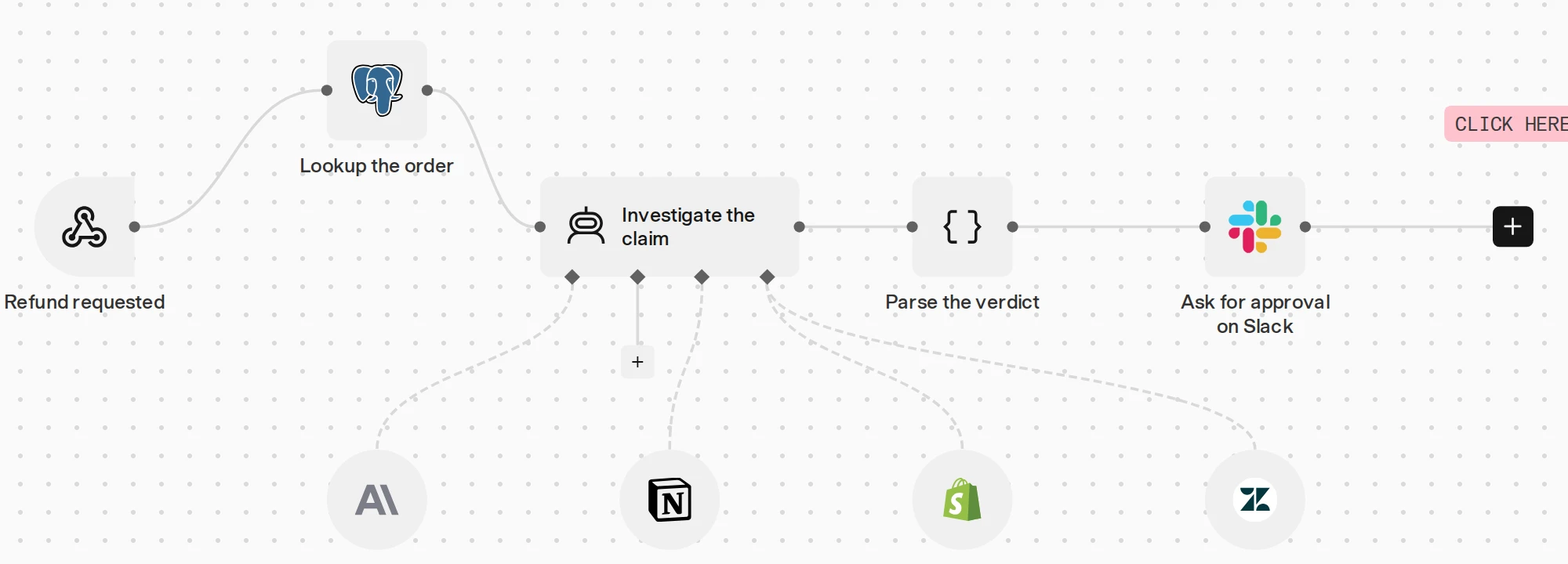
n8n (visual workflow). n8n's AI Agent documentation describes linking a chat model and tools on a canvas. Its human-review documentation describes approval before selected tool calls. Ask the maintainer to explain every link on the canvas: what starts the task, what each tool can do and where a failure goes.
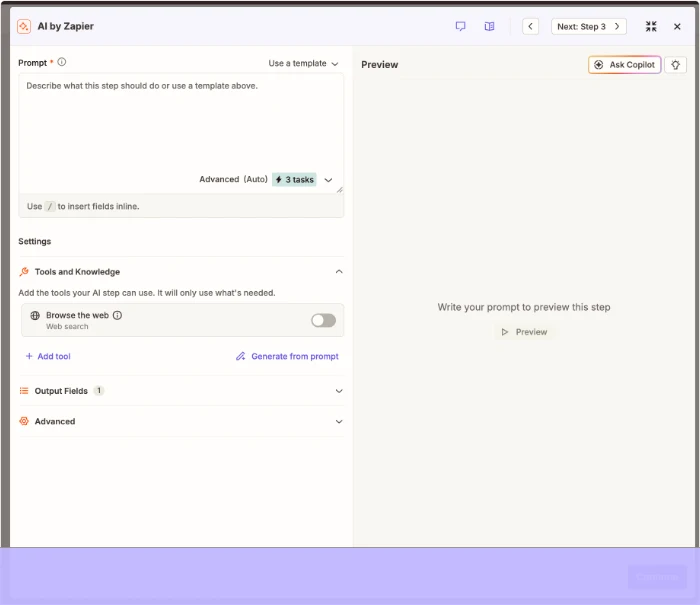
Zapier (workflow with an AI step). Zapier announced the move from Zapier Agents to AI by Zapier on 6 October 2026. It now places agent instructions and tools inside an AI step in a Zap. Tutorials from before that date may show a different screen, so check the current one.
Microsoft Copilot Studio (business suite). Microsoft's Copilot Studio overview describes its agent platform and how it connects. Check the exact feature and licence your organisation would use. Ask an admin to show which files, records and actions the agent can reach.
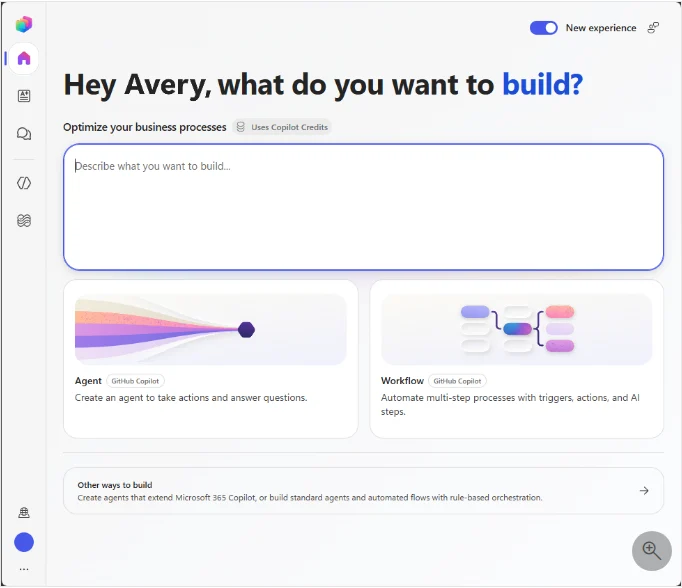
Coded apps. Code makes sense when the task needs custom behaviour and a developer can support it. Keep version one small: one task, 2 or 3 tools and a fixed test set. Each extra framework or agent adds behaviour to check.
Also worth a look. Relevance AI sells itself as a place to "Build and Recruit Autonomous AI Agents". Lindy pitches "an AI Employee That Gets Work Done". Run the same 4 test cases on any of them before you pay.

Which connections can you verify?
Check the exact action in the exact place. A listed email link may read messages, send them or do only part of that. For the enquiry test, check 3 actions one at a time: fetch the message, read the source, save the draft.
Then change one condition. Use a different thread, remove access to a folder or give it 2 clients with the same name. The demo should show what stopped the job and who was told.
Also ask what happens when access expires. A good workflow names the failed link and keeps finished work. It should tell "no record found" apart from "the lookup failed".
What happens next
Need the spec and test cases? The build guide walks through one task from the input to the saved draft.
Write your test specHow can you compare approval controls?
The reviewer should see the exact action. For an email: the recipient, subject and text. For a record: which record and which values change. Approval must apply to that version.
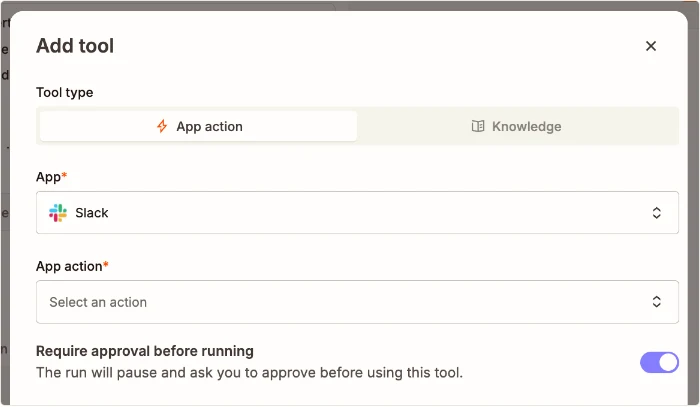
Test approve and deny. After a denial, open the destination and confirm nothing happened. Check that the agent does not try a way around the decision. And check who can approve: an alert to a group does not show who has authority.
How do you compare data handling and price?
Map what the builder, model provider, connectors and logs each receive. Ask about retention, deletion, access and subcontractors for your plan. Use fictional data in the comparison; live data needs its own privacy review, with advice where needed.
Which data questions should you ask each supplier?
Ask 6 questions in writing. What data does each part receive? Where is it stored? Who can see it, including the supplier's own staff? How long are logs kept? Is any of it used to train models? How do you delete it when you leave?
Ask the same 6 for the model provider and each connector, not just the builder. A builder may keep no message text while a logging add-on keeps everything for 90 days.
File the answers with the plan details and the date. If the supplier changes its terms, you can see exactly what changed and re-check whether your use still fits.
Compare the full cost per useful, reviewed output. Count 5 things: the subscription, model use, connector charges, hosting and review time. Products count usage in different ways, so one headline price can mislead.
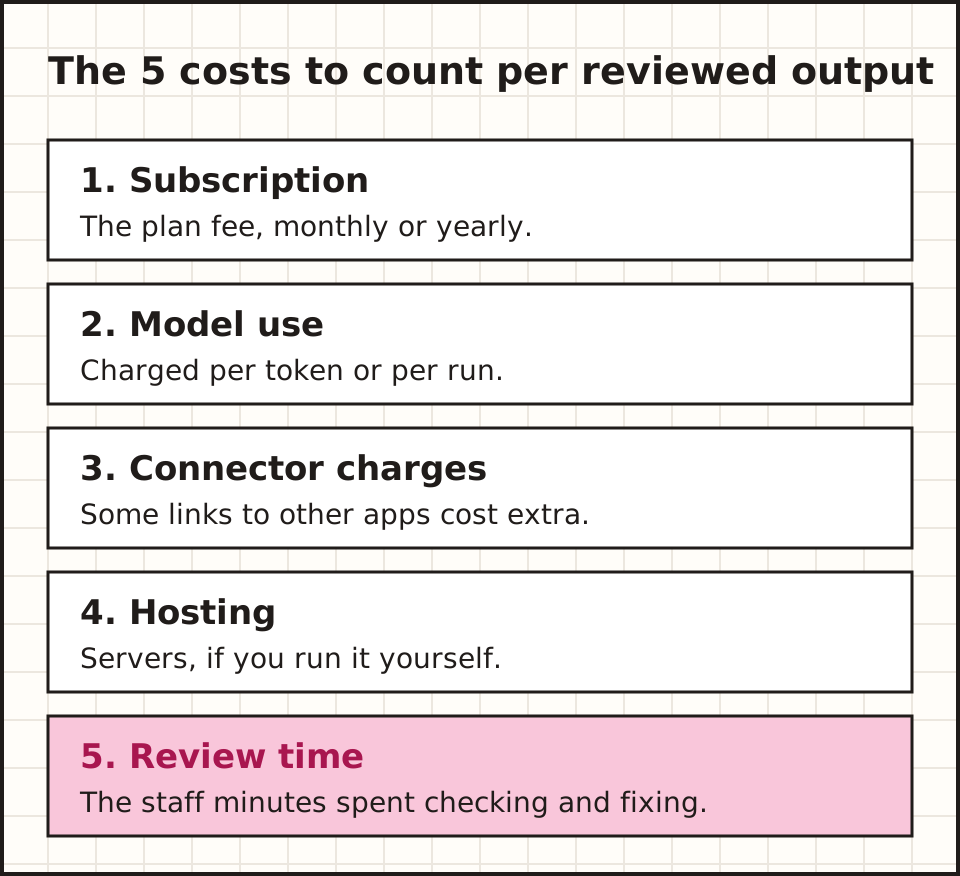
Run the same 4 tests and read the real usage records. Split normal jobs, retries and failures. Then test the spending cap with a small approved allowance: a dashboard setting is not proof that a run stops.
What goes on the final selection sheet?
List the task, owner, candidates, test cases and results. Add the access and data decisions, the charges you saw and open questions. Keep the failures beside the wins.
Then pick the option that passed your 4 tests with a process your office can keep running. A long feature list is weaker evidence than one clear trial of the work you need done. For ready-made products, read the AI-agent shortlist.
Common questions about AI agent builders
Is no-code the same as no maintenance?
No. A visual tool cuts some coding. Links, access, sources, testing and failures still need an owner after the demo.
Does an integration logo prove my action works?
No. Reading a record, saving a draft and sending a message are 3 different abilities. Show the exact action in a test account.
Is the biggest platform a better fit?
Not always. A smaller product may meet the need with less setup. Compare the whole process on the same 4 tests.
What should stop a purchase?
A gap in an essential need: an unsupported destination, an unclear data path or an approval control that fails. Record it and get proof before you go ahead.
What happens next
New to agents? The basics guide explains the 5 parts and a safe first trial in plain English.
Start with the basicsWhatever you choose, keep the dated test results with the plan details, and re-run them when the product changes.
General information. Product documentation and guidance checked 15 October 2026. Examples described as illustrative are fictional teaching examples.